Magic Cue

A Full Production Team
In Your Pocket
Having multimedia cues in your show is one of the easiest ways to elevate the experience for your audience. Yet, in the past, it was often a difficult, expensive, and overwhelming task.
That all changes with Magic Cue. Seamlessly manage all your audio, video, and image cues with your iPhone or iPad. You can even turn your phone into a live camera feed that broadcasts to the audience with just one click.
This isn't just a way to store cues though. You can also organise and edit them on the fly, add delays, create loops, and so much more. It's like having a full production team in your pocket.
From pre‑show to post‑show, Magic Cue is the all‑in‑one solution you've been searching for. Designed for pro magicians, by pro magicians, Magic Cue is the user‑friendly, affordable and robust solution for every performer from amateurs to professionals.
Instantly elevate the quality of your show. Get Magic Cue today!
- Easiest way to add music, images, video, and live cameras to your show
- Organise, arrange, edit, and control all cues in one app
- Broadcast to speakers, monitors, video projectors, or LED walls
- Turn your phone into a live camera feed with one click
- Wireless and wired outputs
- Trigger cues with the included Flic button, iPhone, iPad, Apple Watch or bluetooth remotes
- Compatible with Audio Ape, DSAN, and others
- One‑time purchase (no monthly subscription)


Audio
- Easily add music cues and sound effects
- Have up to 99 tracks playing simultaneously
- Play different sound effects seamlessly over music
- Control how a track ends (auto‑continue to next track or pause and wait for next trigger)
- Add in automatic fades or even controllable fades that can be activated with a button push
- Apply fades to single tracks or multiple tracks simultaneously
- Add delays or loops, change volume levels, and even trim clips

Videos & Graphics
- Easily add images, video, and text
- Adjust the size, position, and even layer of each track
- Overlay text and images over videos
- Ideal companion for those who do keynote speeches and lectures

Live Camera
- Simplest live camera utility on the market today
- Instantly transform your iPhone or iPad camera into a live broadcast feed
- Connect to a screen via HDMI hard wired or wirelessly
- Use the forward or rear camera
- Adjust the size and position of the video, or add text overlays
- Take your phone into the audience or have an audience member hold it
- Optional live video zoom feature allows you to have the camera automatically follow you
Take your Show On the Go.
Get Magic Cue Today!
Fully Customizable
Magic Cue transforms your iPhone or iPad into a pocket‑sized production team. This all‑in‑one solution allows you to store, access, and edit every cue right within the app itself.
Need to trim a music cue or add a fade? Want to make a video slightly smaller or add text over it? This simple system enables you to arrange and modify cues in seconds.
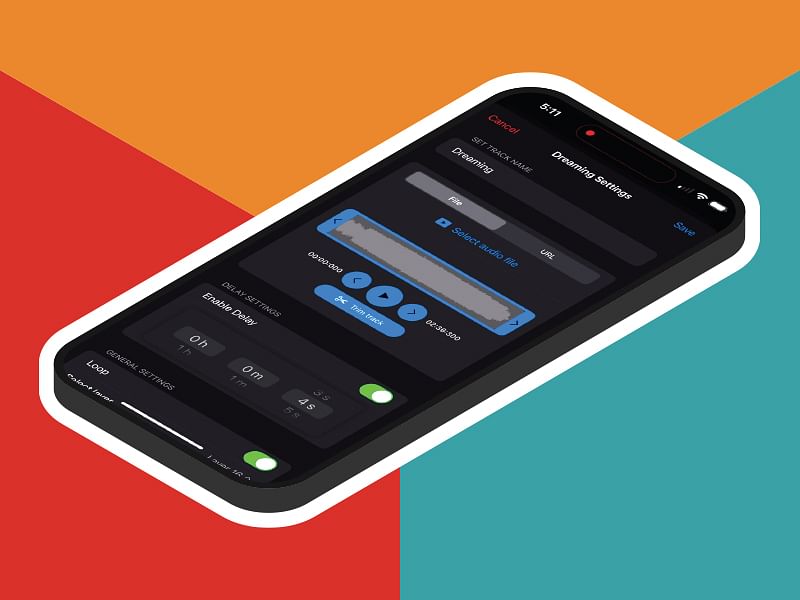
Be Prepared for Any Situation with Dynamic Cues
Booker asked you to do 10 extra minutes at the last minute? Someone drops a glass in the middle of a show? Dynamic Cues have you covered.
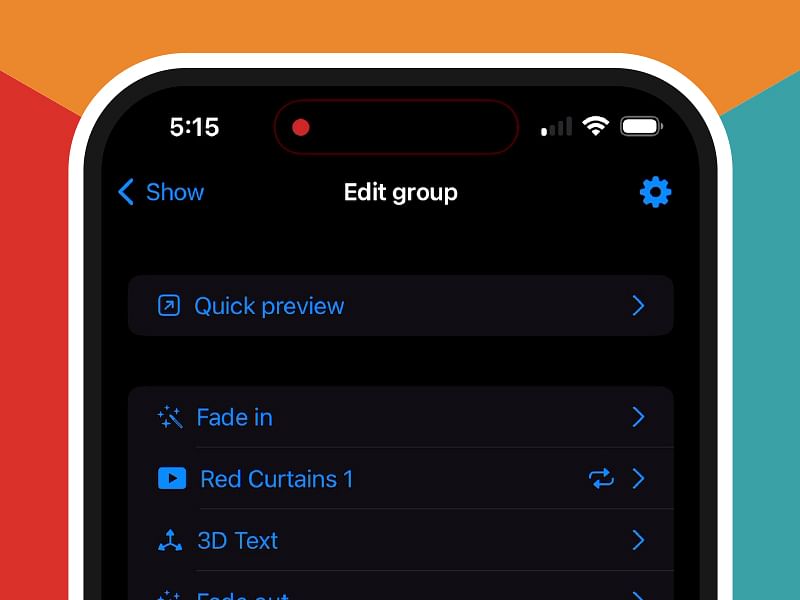
This special feature within Magic Cue allows you to prepare single tracks, or groups of tracks, that can be inserted anywhere in your show on‑the‑fly with a push of a button.
Dynamic Cues can even be paired to a separate remote that can be left next to an extra routine in your case. If you end up needing that routine, just push the button as you grab the props and all the cues will be automatically inserted.
Someone breaks a glass during your show? With one click, you can also trigger a sound effect or image that plays into the funny moment.
Once the Dynamic Cue is complete, the app will automatically transition back into your normal show right where you left off.
Magic Cue enables a level of spontaneity not found in other show control solutions. You'll always be prepared for any situation.
Flic Button Included
In addition to compatibility with Apple Watches, keyboard hotkeys, and a variety of other show remotes, Magic Cue proudly features native compatibility with the world‑class Flic buttons.
Offering the perfect snappy tactile feel and an indoor range of up to 50 meters (164ft), these lightweight, reliable Bluetooth Flic buttons are the perfect companion for Magic Cue.
Every Magic Cue comes with one Flic Button and a custom button holder. If you want additional ones, they are easily available and affordable.
Keep them in your pocket.
Hide them around the stage.
Or even attach them to props.
Flic and Magic Cue are a match made in heaven. And you can integrate up to eight different buttons in seconds!
Get Access Now
After purchase, your Vanishing Inc. account will be activated for Magic Cue. You will need to download the Magic Cue from the Apple App Store, and use your Vanishing Inc. login for access. The app can only be installed on one device at any one time. You can change the device that you use in your Vanishing Inc. account area.
Vanishing Inc. is an authorised reseller of Magic Cue. One time purchase means that you will have access to the core show control features and any relevant updates for as long as they are made available by the creators iQ Stage Solutions LTD.
As the app evolves, some additional features may be added. In some cases, these new features may require an additional fee to access.
Useful reading: What are Show Control Systems?
Customer reviews for Magic Cue


Every purchaser of Magic Cue must pause the vid, zoom in, look at the device, and try to guess what the device is called that they must get. For each of several devices shown, the purchaser is left to search Google or Amazon for "one of these."
I viewed the instructional vid twice. I wanted to get all the necessary equipment. After watching it twice, AND reading the Q&A on the Magic Cue page where one of the answers falsely claimed that the need for "Hollylands" is explained in the tutorial, I now understand that most of the equipment is needed ONLY if the performer want to project live video. It would've been great if the teacher made it clear that, if the performer need only present prepared AV scenes (and not project a live vid feed), the performer need only these one or two things (rather than half a dozen). After wasting a lot of time searching Amazon for "one of these" and "one of these things," I bought a half a dozen devices.
The instructor mentions "one of these [black box with wire coming out]" and "and also one of these [black box with wire coming out] just in case..." and "but I often use one of these [white thing with a wire coming out] which is more streamlined" all in the same section.
This is a limitation of video format which is less conducive to nesting subsections within sections.
After hearing all these devices I sd get (without knowing how I cd search for them since the guide refers to each as "one of these things," I felt overwhelmed.
A great source of frustration and anxiety was the instructions telling the me to buy "one of these" and "one of these" and "one of these things."
It wd also be nice to clarify that to use Magic Cue, the purchaser need not get every device the instructor mentions.
SOLUTIONS
1. Quick Fix
Add overlays to the existing video. Simple.
2. Text Guide
Magic Cue lacks any text documentation. The purchaser needs to search through an hour video. Fortunately, the video is marked with chapters, but after following the video, more than once I needed to make sure of something and even with the chapters there was no way to solve my confusion except by sitting through the video again. Had there been a text guide, each time I needed to clarify a bit of confusion I'd be able to do it in under a minute.
3. Redo the video.
I'd suggest solutions 1 and 2 since solution 1 is a quick easy win, and solution 2 would probably be more helpful than any video. Not even the best video guide will be as useful as a text with chapters, sections, and headings (that may not be true for learning a top change, but for this topic I think it's true).
Once I finally understood The Magic Cue system, I realized it's simpler than the "instructions" makes it seem. You can take that as good thing about the product, or a bad thing about the instructions which make it seem like using the Magic Cue is like a battle through Middle Earth. Considering the alternatives, $395 it's very overpriced in my opinion. The price would be justified if, in addition to instructions I can read (which don't exist), and/or, if there were videos showing usage of the product (even in the instructional video, the teacher talks about setting it up without demonstrating how to set it up; not talking about using the app, I mean plugging device "this thing here" into "one of these things", till it is ready to use)), and vids of setting it up at a live venue would've been nice (just trying to brainstorm).
I brought the Magic Cue ready to go, to two venues. I encountered a unique tech issue at each venue. At the first, the audio did not work. At the second, we couldn't get the video to work with the HDMI TV. I'll spare details, but I'll just say that I suspect if there had been clearer set up instructions, that might've prevented my being so lost when both these tech issues happened. The good news is, the show I had spent hours preparing in the Magic Cue worked flawlessly, but sadly no one in the audience saw it at the second show, and the first show they saw it but didn't hear the sound and complained about it being too bright.
I now know from experience I should've used a dark background. This is the sort of tip I would've appreciated in a video like, Video 6: Pro Tips on Using The Magic Cue System.

Its a real shame because if the app behaved how its advertised it could be great.